Friends & Players
Magic is better with regulars. Here's how to find them and keep them.
Adding friends#
Friend requests are sent from a player's profile. Get there from the Players page, by clicking a name in a table lobby, or from the leaderboard. On their profile click Add Friend. They get a notification, and once they accept you're on each other's lists.
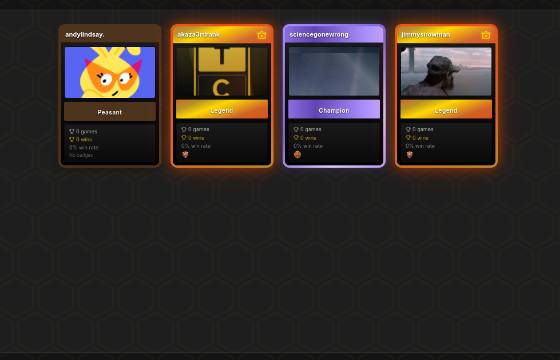
The Friends page (the people icon at the top right, or Community > Friends) has four tabs: Friends, Online, Requests and Sent. Requests you've received are accepted or declined there. A friend's ⋯ menu offers Remove Friend and, if they've linked Discord, Message on Discord.
Direct messages are between friends. The one exception is staff: a moderator or admin can message any player about a moderation matter. Those threads carry a Staff tag, sit under Staff messages at the top of the friends tray, and you can reply in them without being friends. Clear one from your tray with its X; it comes back if staff message you again. Once the matter is done, staff close the thread and you can no longer reply unless they message you again.
What friends get you#
- Tables with Friends visibility only show to your friends list, so you can put a game up without strangers joining.
- The Friends slice on the Games page lists any table a friend has open, and you get a notification when one opens.
- From a table you're hosting, Invite on an empty seat sends a friend a notification with a one-click join. The friend list there sorts by who you've played with most, who you added most recently, or A to Z.
- Friends can be added to a deck as collaborators and invited to your playgroups.
If you'd rather not be found, Appear offline is under Privacy in your account settings, and there's a switch there to stop table invites entirely.
The Players page#
Community > Players in the top nav lists everyone. Search by name, filter by country or online status, and sort by XP, skill, games, wins, win rate, streak or newest. It's the quickest way to find someone you played against last night.
The Map tab on the same page shows where players are, as a globe you can drag around or a flat map. Countries are shaded by how many players they have, and clicking one opens the player list filtered to it. Only players who have set a country in Settings appear, so the map is a slice of the community rather than a full headcount. Hiding your country flag under Privacy keeps you off it.
Profiles#
A profile shows a player's rank and XP, badges, equipped title, recent matches and their public decks. Your own is under the person icon. Match history links through to replays of finished games, which you can scrub through turn by turn.
If someone behaves badly, Report player is on their profile. Reports go to the moderation queue. Reporting Players has more on what to include.
Block is next to it, for anyone you don't want to play with again. Blocking Players explains what it does.
Leaderboard#
The Leaderboard page (Community > Leaderboards in the top nav) ranks players by experience, victories, games played and most copied decks, with a couple of community boards for bugs squished and ideas completed on the forum. The copies board counts other players copying your decks (precons don't count, and a copy only counts once the copier has played a game); whoever leads it wears the Trend Setter title. Lead both the bugs and ideas boards at the same time and you wear Quality Control. Each board has its own link, for example /app/leaderboard?tab=copies, and rows show the player's equipped title. A top-ten widget also sits on the Games page.
Site Stats#
More > Site Stats shows community-wide numbers on three pages. Overview has site totals, games per week, which formats get played and how each colour identity does. Commanders ranks the top commanders by decks, games, win rate and trend. Cards ranks the most-played cards across every deck, filtered by format, card type, or role (commanders, companions, partners, equipment). It refreshes nightly and leaves out playtest games. Pod sizes vary, so a win rate there isn't measured against 50%; read it alongside the game count next to it.
The forum#
Forum in the top nav is where bugs, ideas, card and content issues and general chat live. Post in a section, follow threads you care about, and @mention people. Reply on a post answers it directly and Quote brings the post (or just the part you've highlighted) into your reply; either way its author gets a notification, and your reply links back to theirs. New topics and replies open in a tray on the right, so you can keep reading the thread while you write. Long threads are split into pages of 20 replies; the time on a topic in a list jumps to its latest reply. Markdown works. The Time button in the editor adds a date and time that each reader sees in their own zone, with other zones a click away. When something you reported gets fixed or an idea gets accepted, the topic's status changes and you get a notification.
A new topic can carry a poll. Add a question and two to twelve options, choose whether people can pick more than one, and how long it runs. Options are fixed once posted. Voters see the results after they vote, or can peek without voting; you can change or withdraw your vote while the poll is open. The topic author or staff can close a poll early.
Next steps#
- Playgroups, for a regular pod
- Game Lobby