Playgroups
A playgroup is your regular pod on the site: a private group with its own tables and its own leaderboard.
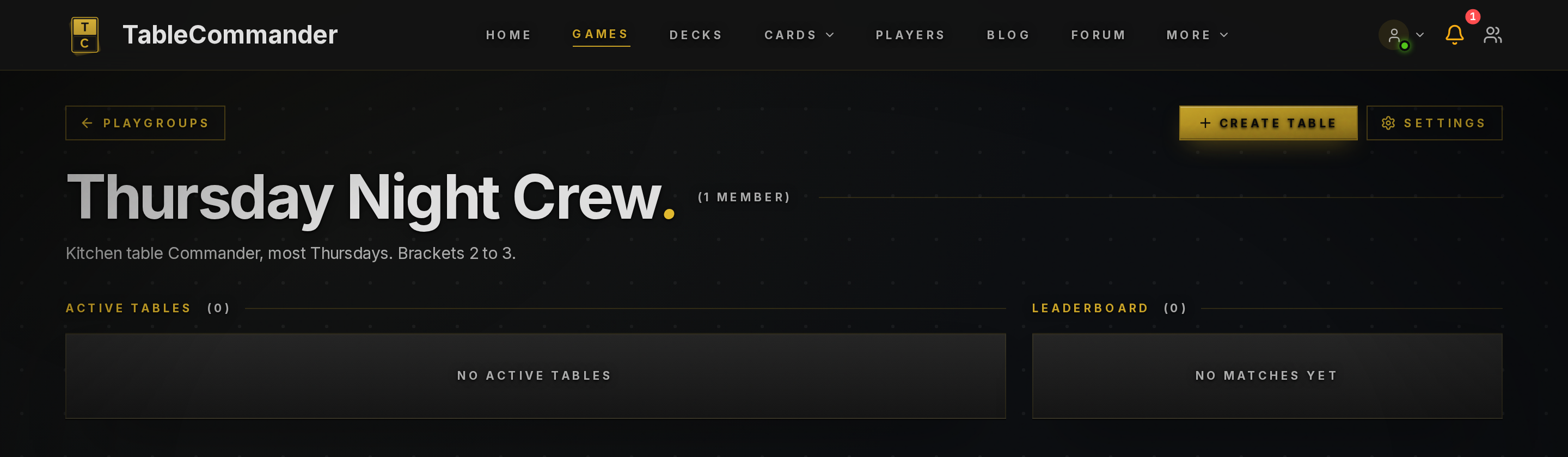
Creating one#
Open Games and click the Playgroups heading, then Create Playgroup. Give it a name and, if you like, a description. That's the whole form. There's no public directory and no visibility setting. Playgroups are invite-only by design.
Creating a playgroup is a supporter perk. Being in one isn't, so one supporter in the pod is enough for everyone.
Inviting people#
On the playgroup page click Settings. The Members section has an invite picker that lists your friends. Pick who you want and they get a notification to accept or decline. Pending invites show on the page and can be cancelled. Because invites go through the friends list, add someone as a friend first.
Roles#
| Role | Can |
|---|---|
| Owner | Everything, including deleting the playgroup |
| Admin | Invite and remove members, change the settings |
| Member | See the group, join its tables, appear on its leaderboard |
Anyone but the owner can leave from the playgroup's Danger zone. The owner deletes it from the same place.
Playgroup tables#
When you create a table, set Visibility to Playgroup and pick the group. The table only appears to members, in the Playgroups slice of the Games page and under Active Tables on the group's own page. No invite code needed, though it still has one if someone outside the group is sitting in.
Supporters can also Schedule a table for a set date and time. Members get a reminder before it starts and a notification when it goes live, which does the job of a game night calendar.
Leaderboard#
The group page keeps a leaderboard from games played at playgroup tables: games, wins and win rate per member. Games on public tables don't count toward it, so it reflects your pod rather than everything anyone's ever played.
What isn't here#
No events with RSVPs, no invite links, no public browsing, no moderator role. Scheduled tables cover most of what people want from events. If you need the rest, say so on the forum.