Game Lobby
Everything starts on the Games page.
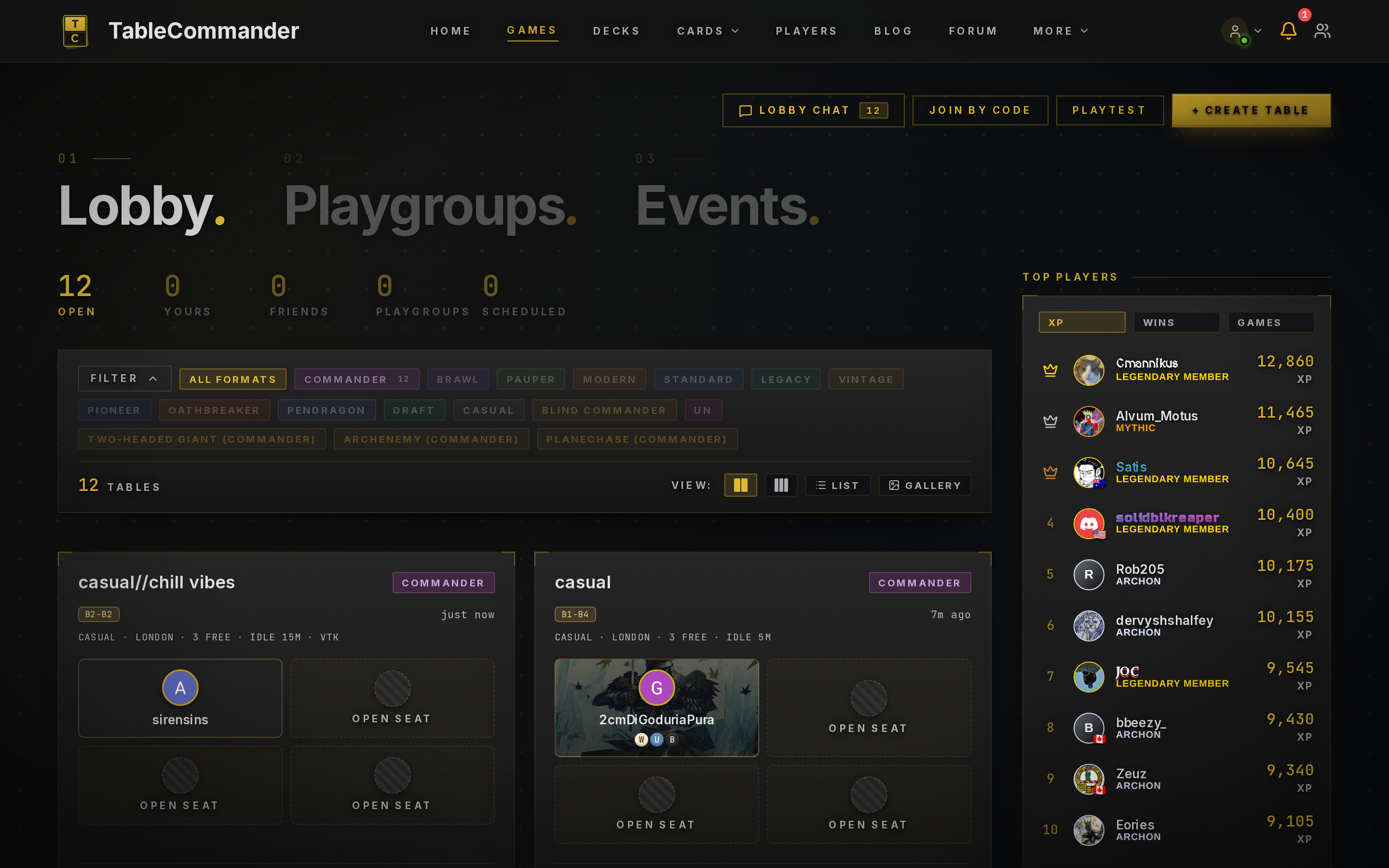
Finding a game#
The top of the page has six slices: All, Open Seats, Live, Friends, Playgroups and Scheduled. All is every table you can join or watch. Open Seats narrows that to tables still waiting for players with a free seat, and Live to games already under way, ready to spectate. Tables you're in, including scheduled games and playtests, also show in a Your Games card (beside the list on wide screens, above the slices on smaller ones) with a Rejoin button, whatever slice or filter you have on. Friends and Playgroups are tables your friends or groups have put up. Scheduled is tables with a start time in the future.
The search box finds tables by name, description, player, format, draft set or bracket. Filters opens the format pills, and the VC pills next to them narrow the list to tables whose host set voice chat as required or not wanted; your VC choice is remembered. The B1 to B5 pills show tables whose host asked for that bracket, so tables with no bracket set drop out while one is on. Tables show as a compact list by default, one row each with the rules under the name and player avatars; the View buttons switch to cards, and your choice is remembered. Each card shows the table name, the host's description if they wrote one, format, game mode, mulligan rule and idle timeout, plus who's sitting where. A VC Required or No VC badge shows the host's voice chat expectation. Commander tables also show the bracket range the host is after. A table with a deck price range shows that too.
To sit down, click an Open Seat. If a game is already under way you'll see Spectate instead, which drops you in as a viewer. There's no host toggle for that. Anyone can watch a public game.
Two more things up top. Lobby Chat is a room for everyone on the page, handy for "anyone up for a 4 pod?". Playtest starts a solo game with two of your own decks, which is the fastest way to learn the controls before you sit down with people.
Joining by code#
Every table has a six character invite code. Click Join by Code, type it in, and you're at the table. This is the only way into Private tables, and the quick way into any table when a friend has sent you the code.
Hosting#
Click + Create Table. The options are covered in Your First Game. The short version: pick a format, decide who can see it, and leave the rest on defaults until you have an opinion.
The pregame lobby#
Once a table exists you're in the lobby. Each seat shows who's in it and whether they've picked a deck. Chat is open, so this is where house rules get agreed. You hold one lobby seat at a time: taking a seat at another table, or creating a new one, gives up the seat you had. If you were hosting, that table closes.
- Players click Pick a Deck, choose from their library, then Ready Up.
- The host's Start button goes live once at least two players are seated and everyone is ready.
- Empty seats have an Invite button that sends a notification to a friend, and Move Here if you'd rather sit somewhere else.
- The host can Kick someone from a seat and Shuffle seats to randomise turn order. In team formats that button becomes Random teams.
- If the host wanders off, another seated player can claim host and start the game.
- Anyone who closes the site while seated shows as AFK. If they're not back within 10 minutes their seat opens up. A host who times out loses their seat the same way, and the table only closes if nobody else is seated.
Lobbies that never fill close themselves after a while, so nothing hangs about in the list forever.
When someone drops#
Connections fail, and some players walk off. If a player disconnects, their seat shows a five minute countdown and they can come straight back. After that their turns pass automatically and the others can vote to remove them. Players who stay connected but stop playing are caught by the table's idle timeout, after which anyone can Force Concede them.
AFK Players covers every case step by step, including opponents who've lost but won't concede, draws, breaks and Vote to Kick for players who are there but ruining the game.
Next steps#
- The playmat, what's on screen once the game starts
- Game controls, moving cards and using the sidebar
- AFK players, when someone stops playing