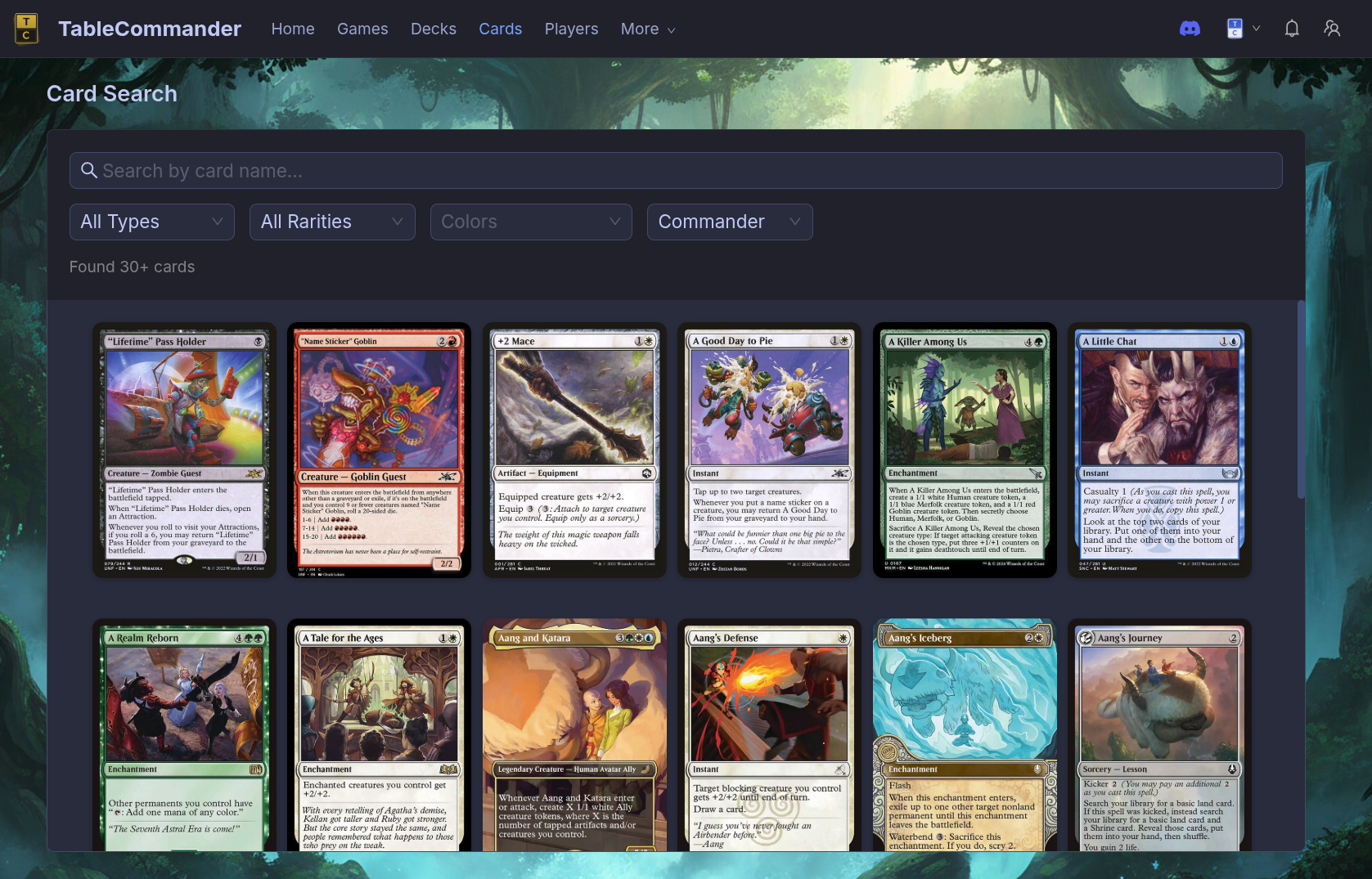
The Complete MTG Card Database — How to Search Every Magic Card.
Whether you're brewing a new Commander deck or trying to remember the name of that one card that draws when a creature dies, you need a good card database. Here's how to search every Magic: The Gathering card ever printed — for free, in your browser.
The Full Database
TableCommander's MTG card database includes every card from every set Wizards of the Coast has ever released. The data comes from Scryfall and updates automatically when new sets drop. Every card has high-resolution art, full oracle text, and format legality info.
No account required. Just open it and search.
How to Search
Head to the card search and start typing. Results show up instantly as you type — you don't even need to hit enter.
Search by Name
The simplest search. Type part of a card name and matching cards appear immediately. Fuzzy matching handles typos, so "Rhystic Studdy" still finds Rhystic Study.
Filter by Color
Looking for cards in your commander's color identity? Filter by one or more colors to narrow results. You can search for:
- Exact colors — only cards that are exactly those colors
- Color identity — cards that fit within a color identity (useful for Commander deck building)
- Colorless — artifacts, Eldrazi, and other colorless cards
Filter by Card Type
Find every Elf, every Equipment, every Saga. Filter by:
- Card type — Creature, Instant, Sorcery, Enchantment, Artifact, Planeswalker, Land
- Subtype — Elf, Goblin, Equipment, Aura, Saga, and hundreds more
- Supertype — Legendary, Snow, Basic
Filter by Mana Cost
Building a low-curve aggro deck? Filter by converted mana cost to find cards at the right spot on your curve. Great for finding cheap interaction or expensive finishers.
Filter by Format Legality
This one saves time. Set your format — Commander, Standard, Modern, Pioneer, Legacy, Pauper — and only see cards that are legal. No accidentally adding a banned card to your deck.
Search Oracle Text
This is the power feature. Search the actual rules text of cards to find specific abilities:
- "draw a card" — find every cantrip and card draw spell
- "destroy target creature" — removal options
- "enters the battlefield" — ETB triggers for blink decks
- "whenever a creature dies" — aristocrats payoffs
- "search your library" — tutors
- "each opponent" — multiplayer-focused effects for Commander
Combine text search with color and type filters to find exactly what your deck needs.
From Search to Deck
The card database isn't just for browsing. It's built into the deck builder, so when you find a card you want, you can add it to your deck without leaving the page.
The workflow:
- Open the Commander deck builder or general deck builder
- Search for cards using any of the filters above
- Click a card to see it full-size with oracle text
- Add it to your deck with one click
- Check your mana curve and color distribution in the stats panel
- Take it to the Commander simulator to test your lines before playing with friends
Already have a deck somewhere else? Import it from Moxfield, Archidekt, TappedOut, or any text list. Every card loads with full art from the database automatically.
Finding Cards for Commander
Commander deck building has specific needs. Here are some searches that help:
Ramp — Search "add {" in oracle text to find mana dorks and rocks. Filter to your commander's color identity.
Card draw — Search "draw" and filter by your colors. Sort by mana cost to find efficient options.
Removal — Search "destroy" or "exile" filtered to instants and sorceries. Every deck needs answers.
Board wipes — Search "destroy all" or "each creature" to find sweepers for when the board gets out of hand.
Lands — Filter to lands and your color identity to find your fixing options. Dual lands, fetch lands, utility lands — they're all there.
Why Not Just Use Scryfall Directly?
You can — Scryfall is excellent and TableCommander's data comes from there. The difference is integration. When you search on TableCommander, you're one click away from adding a card to a deck and one more click from playing a game with it.
Search → Build → Simulate → Play
All in one place, all free.
Try It
Open the MTG card database and search for something. No signup, no download. Every card ever printed, ready to browse.
No comments yet.